Showing posts with label Others. Show all posts

Sunday, September 16, 2012

How to Disassemble Setup.exe (Reverse Engineering)

A disassembler is a program that lets you look at a program's machine code while executing on a computer. Disassembly is a type of analytic procedure programmers use to view how a program runs in memory. Several programs let you disassemble a setup.exe file. Disassembling a setup.exe file allows you to see how the installation procedure runs on the computer. 


Instructions

    • Download and install the IDA Pro program by Hex Ray (see Resources). The program is a color-coded application that lets you discern between your setup.exe code and the Windows operating system code. The memory view shows you the executing code for the EXE file located in memory. The program also let you manipulate values and pause the execution of the file. This helps you test program options for your setup.exe file.

    • Download and install W32 DASM on your computer that has the setup.exe file on it (see Resources). W32 DASM is a free program, so it is good for people who are new to disassembling execution files and reading the code in memory. The interface is a single window that displays the code in each memory address. You cannot change the code in memory like you can with IDA Pro.

    • Download and install OllyDbg (see Resources). The OllyDbg program is a disassembler and a debugger. A debugger works with a disassembler to view the code in memory and lets you manipulate the code to find problems and errors in the setup.exe file. The OllyDbg program is open source, so you can also add open source modules or add your own add-on to the program.

How to Reverse Engineering

Introduction

This page is meant to provide some basic suggestions and strategies for people who are starting out with reverse engineering old adventure games, and aren't sure how to do it. It mainly focuses on resources and tools for reversing DOS game executables, but much of the strategies discussed may apply equally to other systems and debugging tools. This is only intended as an overview; you'll still need to read other resources to learn 8086 assembly language, and learn how to use the various tools effectively.

Resources

IDA Disassembler IDA is one of the best disassemblers available. And luckily, the freeware version works with old DOS executables. Even more so, the current freeware version supports viewing disassemblies in graph mode, making it easier to see the overall flow of individual methods.
DosBox Debugger The DosBox Debugger is an invaluable tool for running old DOS games, to monitor how the program executes, and what values are generated by the executing code.
XVI32 Hex File Viewer Although IDA has a built in hex viewer for the executable itself, the XVI32 tool is useful for viewing the contents of all the other files that come with a game. There are many different freeware hex editors available, so any other can be used just as easily.
Ralf Brown's Interrupt List A nice reference for the operation of DOS interrupts. In 8086 assembly, apart from directly accessing ports, using interrupts is the primary means of accessing system functionality such as opening files, changing graphics modes, and many other things.
8086 Assembly Language For those new to 8086 assembly language, you'll need a handy reference to learn the syntax. The Wikipedia is a good starting point, but you can also simply Google for an introduction as well.

Using the DosBox Debugger

It's up to the individual if you want to use a debugger when reverse engineering a program. Some prefer a more cerebral challenge of only figuring out code execution using a decompiler tool, whereas others may find using a debugger useful for figuring out what values are passed to functions. I would recommend using a debugger particularly when reversing a game for the purpose of adding ScummVM support. When you start implementing code to implement game functionality, once you've got portions of the game disassembled, it can be immensely useful for tracking down bugs. Particularly if you initially write your code with names that closely match the names you give the methods in the disassembly.
For debugging purposes, if the game is a DOS game, the DosBox Debugger is the best tool I've found for executing and debugging DOS programs. The default distribution of DosBox doesn't have it enabled, but you can either compile DosBox with it enabled, or download a previously compiled executable. See the DosBox Debugger Thread for more information.
One of the biggest initial steps when using the DosBox debugger is matching addresses in executable at run-time with your disassembly in IDA. This can be done either from the debugger to IDA, or from IDA to the debugger:

From the debugger to IDA

This is the easiest. If you break execution of the game at any point, you can simply use the Find Binary option in IDA to search for a sequence of bytes from the instructions shown in the DosBox Debugger disassembly area. Be careful to pick instructions that aren't far calls or jumps - such instructions are modified when a program loads depending where it loads in memory, so the IDA disassembly won't have the exact same bytes. If you do find a match, double check that the offset within the segment of the found match in IDA matches the offset of the instructions in the DosBox Debugger. If not, you may have found a false match, and should either search for the next occurrence, or specify extra bytes in your search until you find the correct match.

From IDA to the Debugger

If you have a point in the IDA disassembly and want to figure out what address it will be loaded in the DosBox Debugger, it's also not hard. This is presuming the game in question doesn't use Overlays. Overlays were a method developed when games and other applications became too big to fit into memory at once. In these cases, code for the program is often stored at the end of the executable, or in separate files, and loaded as needed into part of the memory, overwriting previously loaded code. In such situations, it becomes hard to pin down a specific section in memory a given segment will be loaded at, since it may shift around in memory over the course of the program running, as it gets loaded, overwritten, and loaded again repeatedly.
So long as the game doesn't use overlays, the following steps can be used:
- look at the IDA view to find out the current file offset at the bottom of the screen. You'll quickly find it if you try selecting different instructions, since it will keep changing. Now:
- Get the value from the beginning of the current code segment. This is just to make the calculations easier, since the start of the segment will have an instruction offset between 0h and 0Fh, which means it won't be messing with our segment calculations
- Get the value from the beginning of the entire disassembly.
- Drop the last digit from both values, and get the difference between the two.
- For executables run in DosBox, add a value of '0138h'. For COM files, add a value of '0128h'.
This will give you the segment address of where the segment should be under DosBox. In either case, it's generally a good idea is to then rename the current segment in the IDA disassembly so that it includes the actual segment address of where it was loaded in DosBox.
For example, the first segment of executables is normally loaded at segment 0138h in memory, so you might rename the segment 'sg0138'. That way, if you later want to set a breakpoint in the DosBox Debugger for any instruction in the segment, you will immediately know what the segment is.

Using IDA Effectively

One of the best things to do when disassembling a game is to document everything. Particularly method parameters and structures.

Naming Methods

Methods can be renamed using the general 'N' hotkey (as well as via the menus), and the 'Y' can be used to specify a C-like prototype for a method. This is particularly useful when some of the parameters for a method are passed using registers. By explicitly documenting what the method expects, it makes it easier to remember later on when you're reversing methods that call it. Standard methods where parameters are passed via the stack are easy, since IDA can automatically set up the function prototype for you. If a method does have parameters passed in registers, prototypes like the below can be used:
int __usercall sub_100FB<ax>(__int8 param1<al>, int param2<bx>)
In this case, the method takes an 8-bit parameter in the al register, and another 16-bit value in bx, then returns a result in ax

Using Structures

The other thing you'll need to learn to use IDA effectively is the use of structures. Irrespective of what language a game was originally written in, there will always be structures containing related information. It may be something as simple as a C-style struct, or could even be the fields of a class in C++.
When dealing with data, you'll frequently see cases like
mov bx, 30h
mul bx
mov ax, [bx+2D00h]
In this case, an initial index in the ax register is multiplied by 30h (30 hexadecimal = 48 decimal). So from this we can determine that the given structure is 48 bytes in size, and can create a new structure accordingly. For smaller sized structures, you may want to create as many 2 byte word fields as needed to make up the correct size for the structure. For larger sizes, the easiest way is to simply declare an array of the needed structure size - 1, and follow it with a single byte field. You can then delete/undefine the array. The remaining byte will keep the structure at the correct size, and you can then later fill in the fields as you find references to them.
Secondarily, the value of '2D00h' indicates an offset in the data segment, representing the rough starting address of the first element of the given array in memory. Here we run into a minor problem. The offset of '2D00h' may not indicate the precise start of the array. If the code in question wanted to get the value at offset 8 in the structure, then the array may actually start 8 bytes earlier in memory, at address '2CF8h'.
In such cases, the only way to tell for sure is to start searching for immediate values in the program of values bytes backwards at a time, until you can't find any more values. For example, if you find references in the code of values '2CFFh', and '2CFEh', each with previous multiplications by 30h/48, but none for '2CFDh', '2CFDCh', or '2CFBh', then you can probably be confident that the array starts at offset 2CFDh.
Once that's determined, you can then create a dummy structure of the correct size, and convert the given address of 2CFDh to an instance of that structure type. Until you're more familiar with the range of values the original array index may be, it'll likely be easier to simply leave the defined array with the single index. Later on, you can always change the structure in memory to specify how many elements it has later on.
Remember that fields in structures can vary in size, so it's always possible you'll get the starting address wrong. In which case, you may have to later on correct the address of the structure in the data segment. This will affect any fields you figure out as well. In the above example, if you mistakenly presumed the array started at offset 2CFDh, then 2D00h would be thought to be a field at offset 3 in the structure (2CFDh + 3 = 2D00h, as per the above example code fragment). However, if the array structure really starts at 2CF8h, then the same field should be at offset 8 within the structure (2CF8h + 8 = 2D00h). So you need to rebuild the list of fields you'd figured out in the structure, since they'll all be at the wrong position. Overall, it's better when encountering an array to spend the extra time to ensure where it starts in memory so you don't need to fix offset problems later on.

Disassembly Strategies

One of the hardest things when starting work on a new disassembly is to figure out how to begin. The following are offered as suggestions of how to get started in the disassembly process.

File Access

One of the easiest places to start a disassembly is generally by identifying file accesses. Using IDA, you can, for example, do a text search for 'open', 'read', 'close', etc. to find occurrences of file opening. IDA provides standard comments for many operating system calls, so even in a new disassembly you should be able to locate such calls by their comment text. Likewise for file reading, writing, and closing. Normally, a program will encapsulate these calls into a method of it's own, so your first disassembly step can be in identifying the methods and naming them appropriately with names like 'File_open', 'File_read', and so on. Likewise, giving the passed parameters an appropriate name. In IDA, the 'Y' command can be used to set up an appropriate method signature for methods. By properly naming the method and it's parameters, this will help you in all the methods that call those methods.
For example, if a read method has a 'size' parameter and a 'buffer' parameter, then if a method that calls it passes '200' for the size, and a reference from a location on the stack, you can be confident that the stack entry can be called something like 'readBuffer', and use the '*' (array size) key when looking at the Stack View (Ctrl-K) to set the size of the array to 200 bytes.
You should hopefully then be able to start working on methods that call the file access functions and hopefully start decoding them. Some examples:
1. If the game consists of only a few large data files, the methods that call the open/read/close functions may a resource manager responsible for loading subsets of the file. In which case, the methods may likely load some kind of index into memory and then have a separate 'get resource' method that scans through the list for a resource with a given Id, resulting in a specific portion of the data file being read. In this case, you can identify all the methods with appropriate names like 'ResourceManager_init', 'ResourceManager_loadIndex', 'ResourceManager_getResource', and so on.
The DosBox debugger may prove useful when dealing with games using large resources. In DOS, Interrupt 21h is one of the primary system interrupts. Specific command Ids are passed in AH, and the other registers are set with values depending on which function is being called. For example, command 42h of Interrupt 21h is the command for seeking within a file. Try using 'BPINT 21 42' to put a breakpoint on any calls to seek system function. By clearly identifying the 'Seek method', you can then step out of that routine to find what called it. Hopefully, you can then examine the logic in the disassembly used to generate the file offset to help you figure out how file offsets are generated for specific resources, and from that figure out how the resource's index works.
Remember that game resource managers not only typically merge multiple individual resources into one single bigger file, they frequently also compress them as well, to save space and prevent people from seeing textual resources when viewing the contents of the file. In such cases, if you can figure out the strategy used for extracting single resources, it may be worthwhile taking the time to code a standalone program to extract and, if necessary, decompress single resources into separate output files. That way, you can more easily look at individual resources that are used by the game without having to worry about manually locating them in the archive/resource file.
2. If the game consists of many different files, it's likely the game will be manually calling the open/read/close methods whenever it wants to access a particular file/resource.
In either case, figuring out the file access routines will give you an excellent start into figuring out the contents of the game; you can then move onto methods that call the resource manager get resource method, and start looking at what kind of resources are loaded, and from there start identifying methods that make use of those resources.

Graphics access

Another place to get started on the disassembly is the graphic draw routines, those responsible for copying raw pixels to the screen surface.
Graphic display was complicated in the early PC days by different modes for the different graphics cards writing to memory in different ways. In the Monochrome/Hercules mode, for example, 8 pixels are stored per 8-bit byte. In EGA, the addressing can be complicated by how the display is configured - the same areas of memory may be used to represent different parts of pixels - with the part of a pixel being updated depending on specific values sent to hardware ports. Finally, of them all, the most common 320x200x256 colour mode is the easiest to deal with, with each pixel taking up a single byte.
For most of the graphics modes, you can look at them in a similar manner - as a block of data in memory starting at offset A000h:0. Only the number of bytes per line will vary, depending on what the graphics mode is. Assembly routines that deal with the graphics screen will typically have code to figure out screen offsets based on provided x and y parameters, so it will frequently be easy to identify the parameters and figure out how the screen offsets work. For example, in 320x200x256 MCGA mode, an offset on the screen will be calculated using the formula (y * 320) + x.
For finding the graphic routines you have two options:
The first is to entirely use IDA, and simply search for immediate values of 'A000h'. Since this is the area of memory that graphics are commonly displayed in, it can be a quick way to locate graphic routines.
The other alternative is to use the DosBox Debugger. It has a use command called 'bpm' that allow you to set a memory breakpoint, which then gets triggered if the given memory address changes. So you could do 'bpm A000:0' to set a breakpoint on the first byte of the screen memory (i.e. the top left hand corner of the screen). Then whichever routine modifies it first will trigger the breakpoint. Using the previously discussed techniques, you can find the same place in your IDA disassembly, and look into reversing that method first.
It will be likely that related functions will be next to each other, so once you've looked into the given identified function, you may also be able to review previous or following functions to see if they have identifiable graphic routines.

Data Segment strings

The strings in the data segment can be an excellent source for identifying the purposes of various methods. If you're very lucky, there may be error messages that contain the name of the function as part of the error. In which case, you can then find out what code references it, and name the methods appropriately.
Note: IDA is good, but it's not perfect., It's not always guaranteed to be able to figure out that a given value loaded into a register somewhere in the program is for a reference into the data segment. As such, if the cross-reference command doesn't give any references for a given string, try searching for an immediate value of the offset of the string. Chances are, any reference you find is likely pointing to the string. You can then use the 'O' command to change the operand from an immediate value to instead point to the offset in the data segment.
Even if any error messages don't contain method names, an error message can prove invaluable. For example, an error message like "Unable to initialise mouse" tells you that whatever method uses it is setting up the mouse for access, so could be given a name like 'initialise_mouse', or 'initialise_events'.
Likewise, have a look at the context of what needs to happen for the error message to be printed, since the message can give you insights into what is being done. A message like "No more free inventory slots" tells you that the code that references this error message is likely a routine for adding an item to the inventory (hence the error if no more slots are available). From there you might be able to identify the area of memory containing the inventory list, and then cross reference other methods that also access it - you could end up identifying a whole group of methods related to inventory manipulation.
Another possibility for data segment strings is to pick strings that may be descriptive enough to guess their purpose. For example, if a string has a name like 'FNT20', or 'UI.FNT', it's likely that it's a font file, containing the images for each character for use in displaying on the screen. In that case, any code that references it is likely to be passing it to a 'font_open' function, which loads up the font. If you can disassemble that method, you may be able to determine how the loaded font is stored in memory. From there, you can use the cross references function of IDA to find other methods that use the same memory address as where the font is stored, and which will likely give you the methods for actually displaying text on the screen.
From there, you may be able to go even further, and start figuring out methods that call the 'write string' function.. menus, hotspots, conversation handlers, and so forth.

Program execution

Another method for identifying methods may be simply executing the program itself. When running the program in DosBox, you may find it useful to start stepping through the main procedure to see what happens from stepping over every method. IDA may be helpful in identifying the main procedure, but even if not, most programming languages have a series of method calls for setting up the initial application state,and then a single final call to the 'main' method.
With the main method identified, stepping over each method may produce interesting results. For example, stepping over a single method call may run all the code for showing the game's introduction sequence before returning control to the debugger. If this can be identified, you could name the method appropriately. You may then be able to gleam information from how the method is called and for the method itself:
For where the method is called, there may be conditional checks to see whether the method is called or not. For example, some games may have a stored settings file to flag whether the introduction has been shown, and not show it again after the first time the game is played..
In that case, a method call just prior to the method call to show the introduction may be for reading in the game settings and checking the flag for whether the introduction has been shown. Knowing this, you could name multiple methods for reading settings, then within it file opening and reading, and so on.
Within the method itself, you may likewise be able to figure out further specific details of how the method is implemented from the method calls it makes. For example, a 'play introduction' method may consist of calling the same method multiple times with different parameter values. These values may well be offsets within the data segment for resource or file names for specific animations to run. In which case, you now know the sub-method is an animation player, and name it accordingly. You could then start work on the animation player, figuring out how it loads it in data, and what method it uses to build up and display graphics on the screen.
Particularly for cases like that, identifying and naming the graphic/screen methods may be helpful, since you could work the disassembly from both the front end reading the animation, and from the low level drawing of the graphics of the animation.

Final Words

Reverse engineering a game can be a rewarding experience, but plan to spend a lot of time working on it. Reverse engineering a game can take months, even years for really complicated games. As you gradually start figuring out sections of the original game, it may prove helpful to dive into creating the engine in a fork of the ScummVM code. Re-implementing things such as resource managers, and file access, it may help you figure out the purpose of other methods more easily if you can see what the code you implement does, and thus get a better idea of what kind of data will be passed to other methods you haven't yet figured out.

Tuesday, September 11, 2012

SkyDrive expands developer APIs: app pickers, full resolution images; and you can share via SkyDrive in Gmail!

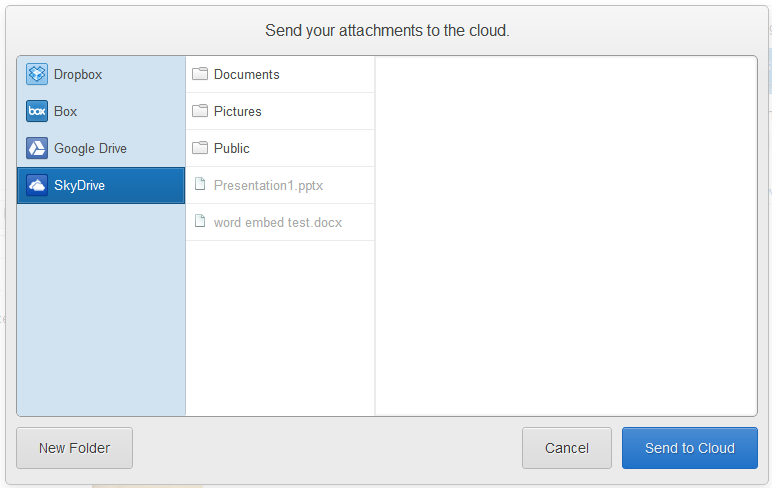
SkyDrive continues to open up its platform to developers of all types, announcing today in a blog post that Attachments.me (a service that saves and retrieves Gmail attachments to Dropbox, Box, and Google Drive) has added SkyDrive to the list, and promoting some new features making it easier for web developers to use SkyDrive.

Attachments.me, via a Chrome extension, has added SkyDrive to its list of save locations:

attachments me2


SkyDrive is at TechCrunch Disrupt this week, promoting SkyDrive, and is promoting some additions to the SkyDrive APIs that were announced last month.

Specifically, SkyDrive has added an app picker for web developers using their Javascript API, making it as easy to add a file picker to a web page as it is to a Windows 8 app:
Shortly after we launched the SkyDrive API, we began to get feedback from web developers about how difficult it was to actually integrate opening or saving files to SkyDrive. And at the same time, developers were finding this very easy when building Windows 8 apps. The key problem was that app developers would need to re-implement the SkyDrive file picker to create a great experience when accessing or saving files to SkyDrive.
To address this feedback we’ve created a SkyDrive file picker for web apps. The SkyDrive file picker makes it easy easy to give your website the ability to open and save files to SkyDrive with just a few lines of JavaScript code.
and now allows full resolution images to be programmatically stored on SkyDrive:
By default, if an uploaded photo is larger than 2048 × 2048 pixels in size, SkyDrive automatically tries to shrink it so that it fits within this 2048 × 2048 pixel size constraint. We think that provides a good default balance between a high quality picture but also not using up tons of storage. But there are times you really want the full resolution, and so you override this behavior when using the SkyDrive REST API.
If you’re a developer looking to use SkyDrive in your apps, check out the Live Interactive SDK on dev.live.com, which includes SkyDrive, Identity, Hotmail, and Messenger APIs.

YouTube launches new iPhone app ahead of iOS 6 release

New version will include access to thousands of additional videos, notably major-label music videos, which is made possible with now-allowed advertising.


Days before iOS 6 lands on iPhones without the familiar pre-installed YouTube app, Google has released a new version with some significant upgrades. (Grab the app here.)


Tens of thousands of additional videos can now be played through the iOS app, notably major-label music videos. That will be made possible by advertising, which was forbidden in the original Apple-designed app. The new YouTube also includes an easier way to browse any channels you've subscribed to -- just swipe right from the left side of the screen to see a list of them -- and new options for sharing videos with friends, including Facebook and Google+.

Last month, a new beta release of iOS removed the YouTube app, which has been a part of Apple's mobile operating system since the original iPhone launch. Apple said at the time that its license to include YouTube had ended and that users would be free to access YouTube via the mobile Web or a forthcoming app that YouTube was building itself. That app arrives today.

For YouTube, breaking with Apple meant a chance to bring the slick, modern experience it built for Android devices to hundreds of millions of current and future iPhone owners. YouTube had little control over the app that bore its name for the past five years; Apple built the app itself according to YouTube's instructions but updated it infrequently. The ban on advertising made it difficult to access copyrighted content inside the app; many a music fan went looking for a Lady Gaga video over the years on iOS and came up empty.

The new YouTube app makes it easier to find major-label music videos, which will be supported with advertising. 

(Credit: YouTube)
"Over the years that resulted in a more limited experience for our users, and lots of frustration," said Francisco Varela, global director of platform partnerships at YouTube. "We're going to get rid of that."

Varela then put it another way: "You're now going to be able to watch your Lady Gaga video on your phone."


A changing relationship
The original deal between Apple and Google on the YouTube app helped remake video for the mobile world, as the iPhone's lack of support for Adobe Flash meant YouTube's catalog had to be re-formatted to work in HTML5. The iPhone's popularity helped make MP4 format the standard format for mobile video. Over the years, it became less important for Apple to have a dedicated app for finding videos that would play on its phone.

At the same time, the Apple-Google relationship has soured considerably since the launch of the first iPhone. Apple co-founder Steve Jobs took Google's development of its own mobile operating system, Android, as a great affront -- and an infringement on Apple's intellectual property. Patent lawsuits are now playing out around the world, and Apple has made a series of moves this year to push Google out of its operating system.

At its Worldwide Developer Conference, Apple showcased a new maps application that will replace the Google-powered app now in use on iOS devices. Removing YouTube from the list of pre-installed apps marked the next step.

But for Google, the YouTube break could represent a significant revenue opportunity. The company says its users watch 1 billion videos a day on mobile devices; enabling ads on their iOS app will help the company reach a large new audience.

How much advertising should users expect? Varela said it will be roughly similar to using YouTube on the Web. 

"It's really up to our content owners what they want to do," he said. "But we're not looking to overwhelm."


Not done yet
What's next for the YouTube app? The company is already hinting at some big new features to come. For starters, an iPad version is in the works. YouTube also wants to make movies and TV shows purchased through the Google Play store available on the iOS app.
For now, though, YouTube needs to educate its users that they can no longer rely on Apple to put its app on their iPhones for them. For now, they don't seem worried about it.
"We fundamentally changed the mobile ecosystem with our original partnership," Varela said. "This is just the next phase of it."

Sunday, September 9, 2012

History of the Gopher Protocol (Pre-Technology of HTTP)

What is Gopher? (in an internet context )

Gopher is a protocol system, which in advance of the World Wide Web, allowed server based text files to be hierarchically organised and easily viewed by end users who accessed the server using Gopher applications on remote computers. Initially Gopher browsers could only display text-based files before developments such as HyperGopher, which were able to handle simple graphic formats though they were never used on a widespread basis as by this time the World Wide Web and its Hypertext Transfer Protocol (HTTP) were gaining in popularity, and had similar and more extensive functions.


The origins of the Gopher protocol

The Gopher protocol and original Gopher viewer application were first developed at the University of Minnesota in the early 1990’s as part of the drive to make use of the Internet to enable the simple sharing of documents with people who could be located in institutions on opposite sides of the country or even the world, and to have those documents organised so that similar / related pages would be easily accessible. The value of the Gopher system was enhanced by the development of two systems known as Veronica and Jughead which allowed a user to search across resources stored in Gopher file hierarchies on a global basis. As for the naming of the system, the University of Minnesota sports teams were called the ‘Golden Gophers’ and the sports mascot was thus a large gopher, it has been said that the protocol was named in honour of the mascot, and also as in an assistant who's sent to ‘go for’ things.

What happened to it?

By the mid 1990s the World Wide Web was growing at a huge rate, and given that the Web’s Hypertext Transfer Protocol (HTTP) and its browser Mosaic could match the functions of the Gopher protocol and additionally offer added functions such as hyper linking from within HTML files which brought together related pages more efficiently than Gopher, there was no longer a compelling reason to choose the Gopher system. Another advantage the early Web had over Gopher was the decision of the University of Minnesota not to definitively rule out the option of exercising its intellectual property rights over the Gopher protocol, for any other organisation deciding whether to devote time, effort, and expense to adopting one of the systems the possibility of getting locked into a technology that they could then find themselves being charged for was good reason to prefer the World Wide Web. Most of the files and databases that had been available on Gopher were converted into HTTP compatible formats and made available on the Web, though for the interested it is still possible to access the Gopher root directory at the University of Minnesota and a few other places, but the vast majority of the other Gopher servers on the Net have since gone offline.

Friday, August 31, 2012

Samsung didn't pay Apple $1.05 billion in 5 cent coins

Over the past couple of days, various rumours have indicated that Samsung paid Apple $1.5 billion in 5 cent coins. A California jury had awarded Apple the amount in damages, at the end of a long-standing patent infringement dispute with Samsung. The news of Samsung paying the damages in nickels spread widely via the website MobileEntertainment, though it had originated on a Mexico-based parody website El Deforma, and then made it to 9gag as a cartoon.

MobileEntertainment reported, "Yesterday, more than 30 trucks filled with five cent coins arrived at Apple’s headquarters in California. Apple security were in the process of freaking out before Apple CEO Tim Cook was called by Samsung explaining that they will pay all of the $1.05 billion they owe Apple in coins, and this was the first instalment".

The ongoing battle between Samsung and Apple ...
Is Samsung trolling with Apple?


Hilarious as it might have been, and though Samsung fans might have hoped it was true, it isn't. MobileEntertainment later updated its story revealing that it was a fake. Though the verdict has been reached, the fine that has been awarded to Apple is not yet payable. Besides that, Samsung will almost certainly appeal the verdict, which will delay the actual process of payment indefinitely. A report by the Guardian has listed several points that indicate that this information is nothing but a hoax. The Guardian reports, “Samsung's fine ($1.049bn) isn't yet payable; the judge hasn't ruled. All we have is the jury's verdict. The judge's decision, which could include a tripling of the fine, is due on 20 September (or possibly 6 December now; it's unclear). Until then, Samsung only has to pay its lawyers. That should be less than $1bn”.


If this isn't enough to put the hoax to rest, a resource put up by the US Treasury explains why Samsung cannot pay Apple the amount due in coins. The statement reads, “The pertinent portion of law that applies to your question is the Coinage Act of 1965, specifically Section 31 U.S.C. 5103, entitled "Legal tender," which states: "United States coins and currency (including Federal reserve notes and circulating notes of Federal reserve banks and national banks) are legal tender for all debts, public charges, taxes, and dues. This statute means that all United States money as identified above are a valid and legal offer of payment for debts when tendered to a creditor. There is, however, no Federal statute mandating that a private business, a person or an organization must accept currency or coins as for payment for goods and/or services. Private businesses are free to develop their own policies on whether or not to accept cash unless there is a State law which says otherwise. For example, a bus line may prohibit payment of fares in pennies or dollar bills. In addition, movie theaters, convenience stores and gas stations may refuse to accept large denomination currency (usually notes above $20) as a matter of policy”.

Hence, if Samsung and its 30 trucks filled with 5 cent coins reach the gates of the Apple headquarters, they would most certainly be asked to take a U-turn post haste, and head right back to where they came from. If this rumour had been true, the scenario where 30 trucks filled with small change adding up to a billion dollars might easily have gone down as the biggest, funniest, and most expensive troll in history.

Monday, August 27, 2012

RIP Neil Armstrong, A Huge Loss for Mankind


Apollo 11 and Apoll0 17 composite portrait of Neil Armstrong saluting the U.S. Flag by Stuart Atkinson. Image from NASA.


Neil Armstrong‘s first step on the moon made him famous, but his “one small step for man… one giant leap for mankind” immortalized him. Today, August 25, 2012, GeekMom, NASA, America, and the entire world, lost a great man. Neil Armstrong passed away today, at the age of 82, of cardio-vascular complications after undergoing heart-bypass surgery. Armstrong lived in Cincinnati, Ohio, with his wife Carol.

Neil Armstrong was a retired naval aviator when his he was chosen to be part of the second class of astronauts. After so many years as a test pilot, he was an easy choice for such a prestigious position, especially since he would be the first civilian aviator selected. Armstrong’s first command was also his first space flight as part of the Gemini 8 mission. The mission included the first ever docking between two spacecraft, and was successfully completed after only 6.5 hours in orbit. The mission was cut short after a malfunction in the attitude control system that required an emergency re-entry before the panned extravehicular activities could be completed.

Armstrong’s second and final mission to space was as commander of Apollo 11, the first mission to land on the moon. On July 20, 1969, Neil Armstrong became the first of only twelve men to ever walk upon the lunar surface. Shortly after the resounding success of Apollo 11, Armstrong announced that he didn’t plan to ever fly in space again.

After retiring from NASA, Neil Armstrong became a professor in the Department of Aerospace Engineering at the University of Cincinnati where he taught for eight years. After abruptly resigning his position with no explanation, Armstrong retired from all public activities and has remained that way for most of the rest of his life. He was vehemently opposed to the use of his likeness or persona for others personal gain and often took individuals or companies to court in an effort to preserve his privacy and identity.

In the last few years, Armstrong had become a public supporter of a manned Mars mission and sharply criticized the cancellation of the Constellation Moon Program. In an open public letter also signed by Apollo veterans Jim Lovell and Gene Cernan, he noted, “For The United States, the leading space faring nation for nearly half a century, to be without carriage to low Earth orbit and with no human exploration capability to go beyond Earth orbit for an indeterminate time into the future, destines our nation to become one of second or even third rate stature.”

GeekMom wants to send our condolences to the entire Armstrong family on the loss of such an icon. Just take solace in the fact that while Armstrong may have passed from Earth, his legacy will forever be imprinted on the heavens.

Thursday, August 9, 2012

Password Hashing: Best Practice

Last week I read a post on Brian Krebs’ blog where security researcher Thomas Ptacek was interviewed about his thoughts on the current landscape of password hashing. I found Thomas’ insights into this topic quite pertinent and would like to reiterate his sentiments by talking a little about the importance of choosing the right password hashing scheme.
The idea of storing passwords in a “secret” form (as opposed to plain-text) is no new notion. In 1976 the Unix operating system would store password hash representations using the crypt one-way cryptographic hashing function.  As one can imagine, the processing power back then was significantly less than that of current day standards. With crypt only being able to hash fewer than 4 passwords per second on 1976 hardware, the designers of the Unix operating system decided there was no need to protect the password file as any attack would, by enlarge, be computationally infeasible. Whilst this assertion was certainly true in 1976, an important oversight was made when implementing this design decision: Moore’s Law.
Moore’s Law states that computing power will double approximately every two years. To date, this notion has held true since it was first coined by Gordon Moore in 1965. Because of this law, we find that password hashing functions (such as crypt) do not withstand the test of time as they have no way of compensating for the continual increase in computing power. The problem we find with cryptographic hashing functions is that whilst computing power continually increases over time, password entropy (or randomness) does not.
If we fast-forward to the current day environment we see that not much has changed since the early implementations of password hashing.  One-way cryptographic hashing functions are still in widespread use today, with SHA-1, SHA-256, SHA-512, MD5 and MD4 all commonly used algorithms. Like crypt on the old Unix platform, these functions have no way of compensating for an increase in computing power and therefore will become increasingly vulnerable to password-guessing attacks in the future.
Fortunately, this problem was solved in 1999 by two researches working on the OpenBSD Project, Niels Provos and David Mazieres. In their paper, entitled ‘A Furture-Adaptable Password Scheme’, Provos and Mazieres describe a cost-adaptable algorithm that adjusts to hardware improvements and preservers password security well into the future.
Based on Bruce Shneier’s blowfish algorithm, EksBlowfish (or expensive key scheduling blowfish), is a cost-parameterizable and salted block cipher which takes a user-chosen password and key and can resist attacks on those keys. This algorithm was implemented in a password hashing scheme called bcrypt.
Provos and Mazieres identified that in order for their bcrypt password scheme to be hardened against password guessing, it would need the following design criteria:
  1. Finding partial information about the password is as hard as guessing the password itself. This is accomplished by using a random salt.
  2. The algorithm should guarantee collision resistance.
  3. Password should not be hashed by a single function with a fixed computational cost, but rather by of a family of functions with arbitrarily high cost.
The first two points here are fairly standard among password hashing algorithms. The last point, however, is somewhat of a different concept to what we are used to seeing.
If we think about cryptographic hashing functions in use today - be it MD5, SHA-1, or MD4 - we notice they all have one thing in common: speed. Each of these algorithms is incredibly quick at computing its respective output. As hardware gets better, so too does the speed at which these algorithms can operate. Whilst this may potentially be seen as a positive thing where usability is concerned, it is certainly an undesirable trait from a security standpoint. The quicker these algorithms are able to compute their output, the less time it takes for the passwords to be cracked.
Provos and Mazieres were able to solve this problem by deliberately designing bcrypt to be computationally expensive. In addition, they introduced a tunable cost parameter which is able to increase the algorithm’s completion time by a factor of 2 each time it is incremented(effectively doubling the time it takes to compute the result). This means that bcrypt can be tuned (i.e. incremented every 2 years) to keep up with Moore’s Law.
Let’s have a quick look at how bcrypt compares against other hashing algorithms. Let’s say we have a list of 1000 salted SHA-1 hashes that we wish to crack. Because they are salted, we can’t use a pre-computed list of hashes against this list. We can, however, crack the hashes one by one. Let’s say on modern hardware it takes a microsecond (000000.1 seconds) to make a guess at the password. This means that per second we could generate 1 million password guesses per hash.
In contrast, say we have the same list but instead of SHA-1 the hashes have been derived using bcrypt. If the hashes were say computed with a cost of 12, we are able to compute a password guess roughly every 500 milliseconds. That is, we can only guess 2 passwords a second. Now if you think we have 1000 password hashes, we can only generate 7,200 guesses per hour. As it would be more efficient targeting all 1000 hashes (as opposed to just one), we would be limited to approximately 7 guesses per hash.
Below is the output of a quick program I created to display the time it takes to compute a bcrypt comparison as the cost value is incremented. The test was conducted on a RHEL system running a Xeon X5670 @ 2.9Ghz with 1024MB of memory.

The source code for this program can be found here.
The bcrypt password hashing scheme is currently available in many languages including Java, C#, Objective-C, perl, python, and Javascript among others.
I hope this post highlights the importance of using stronger password hashing schemes for modern day applications. 

Book Review: The Oracle Hacker's Handbook

Due to the proprietary nature of the Oracle beast, offensive security information relating to Oracle databases is difficult to obtain at the best of times. Where this information is available, it’s usually in dribs and drabs and rarely consolidated. The Oracle Hacker’s Handbook is one reference which aims to fill this gap.

The Oracle Hacker’s Handbook (TOHH) is written by one of the foremost respected commentators on Oracle database security, David Litchfield. The book is comprised of 12 chapters, each containing a myriad of attack methods and exploit examples on how to compromise Oracle databases. Whilst this book is certainly great as a reference guide, I feel several shortcomings make this book fall well short of the Oracle hackers “bible”.

The biggest issue I have with this book is the lack of background information for certain topics. One such example can be seen in chapter 7 Indirect Privilege Escalation. By the end of this chapter, one would expect the reader to have the knowledge and skills to perform some type of privilege escalation within a database. However, due to the lack of background knowledge given in proceeding chapters, it would be very difficult for someone to mimic any of the attacks described. I will discuss three such examples from chapter 7.

The first method given to escalate privileges uses an account which has access to particular privileges and a particular trigger on the system. The author introduces the chapter by providing a scenario whereby you (the reader) have an account with this privilege and trigger. The problem: nowhere in the book does it describe how one can list privileges or triggers for a particular user. Without this, it is not possible to mimic the method described.

Following on from this, the reader is told they need to determine all DBA accounts on the system and which tables/views they own. However, nowhere does the book provide any information on how to accomplish this.

The final paragraph begins with “We’ve found an SQL injection flaw in a package owned by a user who has very few privileges.” However, at no point in this book is there any information on how to view the privileges of other accounts, how to find/look through packages, or how to see who owns a particular package – all paramount to achieving this attack vector.

This theme continues throughout the book.

Another major gripe I have with this book is that the author omits key information in certain chapters and instead refers the reader to his other book (The Database Hackers Handbook). I found this particularly frustrating considering I bought this book under the impression I was buying a complete Oracle reference. Unfortunately, it falls well short of this.

Published in 2007, TOHH covered all major flavors of Oracle (7, 8i, 9i and 10g) which were then popular. At the time of publishing the author also released code for vulnerabilities that had not yet been seen. However, four years on and most (if not all) of these vulnerabilities have since been patched and versions of Oracle prior to 10gR2 are seldom seen. With 11g having been around since 2007, TOHH I fear is quickly becoming antiquated.

From a penetration tester’s perspective, I (initially) found this book a difficult read. I feel with large gaps in introductory topics that many of the attacks described will be lost on beginners. The best suited audience I feel for this book is an Oracle DBA who is interested in learning about offensive security methods. Someone well versed in Oracle databases would certainly find this book an interesting read.

Based on what I had read about this book my expectations were quite high. Many people I respect in the industry have endorsed this book and the author is very well respected on these topics. I think this is a good book to have on the shelf as a reference but it should certainly be supplemented with other readings and materials. If you are new to Oracle I would recommend covering the basics before delving into this book. Because resources that consolidate offensive Oracle security information are few and far between, this book certainly has a place on anyone’s bookshelf who is concerned with Oracle database security.

Tuesday, August 7, 2012

Learn How To Get More Traffic To Your Blog

Blogging has nothing to do with that baseball movie that quotes “If you build it they will come” that couldn’t be further from the truth because now you’ve built your blog it’s now time to learn how to get more traffic to your blog.


You could have the best blog with the best content and the best sales process in place but if you don’t have any traffic (Visitors) to your site no one will ever find it and opt in to your list or even purchase the products that you offer on your blog.
Which would mean all the hard work that you put into building your blog and creating content etc would have been a waste of time.

You need to learn how to get more traffic to your blog.


This is the reason why I’m creating this post today because I want to share the How To Get More Traffic To Your Blog “NO BS” Formula that I’ve been using to get around 50,000 monthly visitors to my personal blog www.billeebrady.com and here’s the proof it works:


learn how to get more traffic to your blog

Without further ado let’s get stuck into it!

How To Get More Traffic To Your Blog “NO BS” Formula


How to get more traffic to your blog: Step 1 – Article Directories
You can write niche targeted articles with links to your blog in the resources box then post them to the top article directories that way you can not only tap into the traffic on these articles directory sites you can also get your articles ranked on the first page of google if you follow the basic search engine optimization (SEO) steps that I teach here.
For more training on article marketing check out this free webinar.

How to get more traffic to your blog: Step 2 – Video Sharing Sites (YouTube)
Did you know that You tube is the 3rd most trafficked site on the internet so needless to say You tube is a great way to drive a ton of targeted traffic to your blog, in order to do this you can create videos and post them to not only You tube to capitalize on the mammoth amount of traffic on that site alone you can also submit your videos to other video sharing site such as Viddler, Vimeo, etc.
Obviously when submitting your videos you want to add a link to your blog and even a capture page in the description box so you have a way of directing this traffic back to your blog.
For training on how to use You tube to drive ton’s of targeted traffic and generate ton’s of leads click here.

How to get more traffic to your blog: Step 3 – Social Sites
Social sites like Facebook, Twitter, Linkedin, Myspace, etc are a great way to drive traffic to your blog and all you have to do is connect with link minded people and share your links to the blog posts that you create.
If you write interesting headlines and content you will find it to be a pretty easy process to build up a readership through the social networks and who knows you may even makes some great connections with this strategy.
To put your social media marketing on steroids you can use a service such as Tribepro where you can have hundreds even thousands of people sharing your content throughout their social networks to drive hordes of traffic back to your blog, check out this video and you will know exactly what I mean.

How to get more traffic to your blog: Step 4 – Blog Commenting
You can tap into the traffic of other blogs by just commenting on their posts sounds easy enough doesn’t it!? Well it is, because you will get traffic coming back to your blog just by people reading your comments and clicking on your name.
If you want a better result from this strategy you need to contribute to the value of the post by leaving a constructive comment and also try and create curiosity so they click on your name and go through to your blog.
Feel free to capitalize on the traffic from my blog by leaving a comment below.

How to get more traffic to your blog: Step 5 – Search Engine Optimization (SEO)
This is hands down my favorite strategy for driving highly targeted traffic to my blog because you have total control over the type of traffic you want coming to your blog.
In a nutshell SEO is basically all about creating content (Blog posts, Videos, Articles, Etc) around specific keywords that your target market would be typing into google and then getting your content on the first page of google that way you can position yourself directly in front of your target market.
By learning SEO you can create residual traffic, leads and sales by dominating the first pages of the search engines I not only teach exactly how to do this step by step I also teach how to build a passive residual income at the same time if you’re interested click here and go through that site.

How To Get More Traffic To Your Blog Conclusion


Now that you know the strategies that I’ve been using to get around 50,000 monthly visitors to my blog all that’s left is to create a daily action plan and be CONSISTENT with your daily actions.
Action Plan Example:
  • Create an SEO’d blog post targeting a keyword that’s within your niche and get’s a lot of traffic with little competition.
  • Spin it and post to articles directories.
  • Create a video about your post and submit to You tube.
  • Share throughout the social networks by either doing it manually or submitting to Tribepro.
  • Spend 30-60 minutes per day commenting a blogs within your niche.
  • Build backlinks to your blogposts, articles and videos.
If you stay consistent with this daily action plan for the next 100 days your traffic will go through the roof and if you have your blog setup correctly so will your income.
Want more in depth training?
Then click here and I will send you step by step videos on how to do all of this while building a passive residual income through blogging.


21 Tactics to Increase Blog Traffic (Updated)


It's easy to build a blog, but hard to build a successful blog with significant traffic. Over the years, we've grown the Moz blog to nearly a million visits each month and helped lots of other blogs, too. I launched a personal blog late last year and was amazed to see how quickly it gained thousands of visits to each post. There's an art to increasing a blog's traffic, and given that we seem to have stumbled on some of that knowledge, I felt it compulsory to give back by sharing what we've observed.
NOTE: This post replaces a popular one I wrote on the same topic in 2007. This post is intended to be useful to all forms of bloggers - independent folks, those seeking to monetize, and marketing professionals working an in-house blog from tiny startups to huge companies. Not all of the tactics will work for everyone, but at least some of these should be applicable and useful.

#1 - Target Your Content to an Audience Likely to Share

When strategizing about who you're writing for, consider that audience's ability to help spread the word. Some readers will naturally be more or less active in evangelizing the work you do, but particular communities, topics, writing styles and content types regularly play better than others on the web. For example, great infographics that strike a chord (like this one), beautiful videos that tell a story (like this one) and remarkable collections of facts that challenge common assumptions (like this one) are all targeted at audiences likely to share (geeks with facial hair, those interested in weight loss and those with political thoughts about macroeconomics respectively).
A Blog's Target Audience
If you can identify groups that have high concentrations of the blue and orange circles in the diagram above, you dramatically improve the chances of reaching larger audiences and growing your traffic numbers. Targeting blog content at less-share-likely groups may not be a terrible decision (particularly if that's where you passion or your target audience lies), but it will decrease the propensity for your blog's work to spread like wildfire across the web.

#2 - Participate in the Communities Where Your Audience Already Gathers

Advertisers on Madison Avenue have spent billions researching and determining where consumers with various characteristics gather and what they spend their time doing so they can better target their messages. They do it because reaching a group of 65+ year old women with commercials for extreme sports equipment is known to be a waste of money, while reaching an 18-30 year old male demographic that attends rock-climbing gyms is likely to have a much higher ROI.
Thankfully, you don't need to spend a dime to figure out where a large portion of your audience can be found on the web. In fact, you probably already know a few blogs, forums, websites and social media communities where discussions and content are being posted on your topic (and if you don't a Google search will take you much of the way). From that list, you can do some easy expansion using a web-based tool like DoubleClick's Ad Planner:
Sites Also Visited via DoubleClick
Once you've determined the communities where your soon-to-be-readers gather, you can start participating. Create an account, read what others have written and don't jump in the conversation until you've got a good feel for what's appropriate and what's not. I've written a post here about rules for comment marketing, and all of them apply. Be a good web citizen and you'll be rewarded with traffic, trust and fans. Link-drop, spam or troll and you'll get a quick boot, or worse, a reputation as a blogger no one wants to associate with.


#3 - Make Your Blog's Content SEO-Friendly

Search engines are a massive opportunity for traffic, yet many bloggers ignore this channel for a variety of reasons that usually have more to do with fear and misunderstanding than true problems. As I've written before, "SEO, when done right, should never interfere with great writing." In 2011, Google received over 3 billion daily searches from around the world, and that number is only growing:
Daily Google Searches 2004-2011
sources: Comscore + Google
Taking advantage of this massive traffic opportunity is of tremendous value to bloggers, who often find that much of the business side of blogging, from inquiries for advertising to guest posting opportunities to press and discovery by major media entities comes via search.
SEO for blogs is both simple and easy to set up, particularly if you're using an SEO-friendly platform like Wordpress, Drupal or Joomla. For more information on how to execute on great SEO for blogs, check out the following resources:
Don't let bad press or poor experiences with spammers (spam is not SEO) taint the amazing power and valuable contributions SEO can make to your blog's traffic and overall success. 20% of the effort and tactics to make your content optimized for search engines will yield 80% of the value possible; embrace it and thousands of visitors seeking exactly what you've posted will be the reward.

#4 - Use Twitter, Facebook and Google+ to Share Your Posts & Find New Connections

Twitter just topped 465 million registered accounts. Facebook has over 850 million active users. Google+ has nearly 100 million. LinkedIn is over 130 million. Together, these networks are attracting vast amounts of time and interest from Internet users around the world, and those that participate on these services fit into the "content distributors" description above, meaning they're likely to help spread the word about your blog.
Leveraging these networks to attract traffic requires patience, study, attention to changes by the social sites and consideration in what content to share and how to do it. My advice is to use the following process:
  • If you haven't already, register a personal account and a brand account at each of the following - Twitter, Facebook, Google+ and LinkedIn (those links will take you directly to the registration pages for brand pages). For example, my friend Dharmesh has a personal account for Twitter and a brand account for OnStartups (one of his blog projects). He also maintains brand pages on Facebook, LinkedIn and Google+.
  • Fill out each of those profiles to the fullest possible extent - use photos, write compelling descriptions and make each one as useful and credible as possible. Research shows that profiles with more information have a significant correlation with more successful accounts (and there's a lot of common sense here, too, given that spammy profiles frequently feature little to no profile work).
  • Connect with users on those sites with whom you already share a personal or professional relationships, and start following industry luminaries, influencers and connectors. Services like FollowerWonk and FindPeopleonPlus can be incredible for this:
Followerwonk Search for "Seattle Chef"
  • Start sharing content - your own blog posts, those of peers in your industry who've impressed you and anything that you feel has a chance to go "viral" and earn sharing from others.
  • Interact with the community - use hash tags, searches and those you follow to find interesting conversations and content and jump in! Social networks are amazing environment for building a brand, familiarizing yourself with a topic and the people around it, and earning the trust of others through high quality, authentic participation and sharing
If you consistently employ a strategy of participation, share great stuff and make a positive, memorable impression on those who see your interactions on these sites, your followers and fans will grow and your ability to drive traffic back to your blog by sharing content will be tremendous. For many bloggers, social media is the single largest source of traffic, particularly in the early months after launch, when SEO is a less consistent driver.

#5 - Install Analytics and Pay Attention to the Results

At the very least, I'd recommend most bloggers install Google Analytics (which is free), and watch to see where visits originate, which sources drive quality traffic and what others might be saying about you and your content when they link over. If you want to get more advanced, check out this post on 18 Steps to Successful Metrics and Marketing.
Here's a screenshot from the analytics of my wife's travel blog, the Everywhereist:
Traffic Sources to Everywhereist from Google Analytics
As you can see, there's all sorts of great insights to be gleaned by looking at where visits originate, analyzing how they were earned and trying to repeat the successes, focus on the high quality and high traffic sources and put less effort into marketing paths that may not be effective. In this example, it's pretty clear that Facebook and Twitter are both excellent channels. StumbleUpon sends a lot of traffic, but they don't stay very long (averaging only 36 seconds vs. the general average of 4 minutes!).
Employing analytics is critical to knowing where you're succeeding, and where you have more opportunity. Don't ignore it, or you'll be doomed to never learn from mistakes or execute on potential.

#6 - Add Graphics, Photos and Illustrations (with link-back licensing)

If you're someone who can produce graphics, take photos, illustrate or even just create funny doodles in MS Paint, you should leverage that talent on your blog. By uploading and hosting images (or using a third-party service like Flickr to embed your images with licensing requirements on that site), you create another traffic source for yourself via Image Search, and often massively improve the engagement and enjoyment of your visitors.
When using images, I highly recommend creating a way for others to use them on their own sites legally and with permission, but in such a way that benefits you as the content creator. For example, you could have a consistent notice under your images indicating that re-using is fine, but that those who do should link back to this post. You can also post that as a sidebar link, include it in your terms of use, or note it however you think will get the most adoption.
Some people will use your images without linking back, which sucks. However, you can find them by employing the Image Search function of "similar images," shown below:
Google's "Visually Similar" Search
Clicking the "similar" link on any given image will show you other images that Google thinks look alike, which can often uncover new sources of traffic. Just reach out and ask if you can get a link, nicely. Much of the time, you'll not only get your link, but make a valuable contact or new friend, too!

#7 - Conduct Keyword Research While Writing Your Posts

Not surprisingly, a big part of showing up in search engines is targeting the terms and phrases your audience are actually typing into a search engine. It's hard to know what these words will be unless you do some research, and luckily, there's a free tool from Google to help called the AdWords Keyword Tool.
Type some words at the top, hit search and AdWords will show you phrases that match the intent and/or terms you've employed. There's lots to play around with here, but watch out in particular for the "match types" options I've highlighted below:
Google AdWords Tool
When you choose "exact match" AdWords will show you only the quantity of searches estimated for that precise phrase. If you use broad match, they'll include any search phrases that use related/similar words in a pattern they think could have overlap with your keyword intent (which can get pretty darn broad). "Phrase match" will give you only those phrases that include the word or words in your search - still fairly wide-ranging, but between "exact" and "broad."
When you're writing a blog post, keyword research is best utilized for the title and headline of the post. For example, if I wanted to write a post here on Moz about how to generate good ideas for bloggers, I might craft something that uses the phrase "blog post ideas" or "blogging ideas" near the front of my title and headline, as in "Blog Post Ideas for When You're Truly Stuck," or "Blogging Ideas that Will Help You Clear Writer's Block."
Optimizing a post to target a specific keyword isn't nearly as hard as it sounds. 80% of the value comes from merely using the phrase effectively in the title of the blog post, and writing high quality content about the subject. If you're interested in more, read Perfecting Keyword Targeting and On-Page Optimization (a slightly older resource, but just as relevant today as when it was written).

#8 - Frequently Reference Your Own Posts and Those of Others

The web was not made for static, text-only content! Readers appreciate links, as do other bloggers, site owners and even search engines. When you reference your own material in-context and in a way that's not manipulative (watch out for over-optimizing by linking to a category, post or page every time a phrase is used - this is almost certainly discounted by search engines and looks terrible to those who want to read your posts), you potentially draw visitors to your other content AND give search engines a nice signal about those previous posts.
Perhaps even more valuable is referencing the content of others. The biblical expression "give and ye shall receive," perfectly applies on the web. Other site owners will often receive Google Alerts or look through their incoming referrers (as I showed above in tip #5) to see who's talking about them and what they're saying. Linking out is a direct line to earning links, social mentions, friendly emails and new relationships with those you reference. In its early days, this tactic was one of the best ways we earned recognition and traffic with the SEOmoz blog and the power continues to this day.

#9 - Participate in Social Sharing Communities Like Reddit + StumbleUpon

The major social networking sites aren't alone in their power to send traffic to a blog. Social community sites like Reddit (which now receives more than 2 billion! with a "B"! views each month), StumbleUpon, Pinterest, Tumblr, Care2 (for nonprofits and causes), GoodReads (books), Ravelry (knitting), Newsvine (news/politics) and many, many more (Wikipedia maintains a decent, though not comprehensive list here).
Each of these sites have different rules, formats and ways of participating and sharing content. As with participation in blog or forum communities described above in tactic #2, you need to add value to these communities to see value back. Simply drive-by spamming or leaving your link won't get you very far, and could even cause a backlash. Instead, learn the ropes, engage authentically and you'll find that fans, links and traffic can develop.
These communities are also excellent sources of inspiration for posts on your blog. By observing what performs well and earns recognition, you can tailor your content to meet those guidelines and reap the rewards in visits and awareness. My top recommendation for most bloggers is to at least check whether there's an appropriate subreddit in which you should be participating. Subreddits and their search function can help with that.

#10 - Guest Blog (and Accept the Guest Posts of Others)

When you're first starting out, it can be tough to convince other bloggers to allow you to post on their sites OR have an audience large enough to inspire others to want to contribute to your site. This is when friends and professional connections are critical. When you don't have a compelling marketing message, leverage your relationships - find the folks who know you, like you and trust you and ask those who have blog to let you take a shot at authoring something, then ask them to return the favor.
Guest blogging is a fantastic way to spread your brand to new folks who've never seen your work before, and it can be useful in earning early links and references back to your site, which will drive direct traffic and help your search rankings (diverse, external links are a key part of how search engines rank sites and pages). Several recommendations for those who engage in guest blogging:
  • Find sites that have a relevant audience - it sucks to pour your time into writing a post, only to see it fizzle because the readers weren't interested. Spend a bit more time researching the posts that succeed on your target site, the makeup of the audience, what types of comments they leave and you'll earn a much higher return with each post.
  • Don't be discouraged if you ask and get a "no" or a "no response." As your profile grows in your niche, you'll have more opportunities, requests and an easier time getting a "yes," so don't take early rejections too hard and watch out - in many marketing practices, persistence pays, but pestering a blogger to write for them is not one of these (and may get your email address permanently banned from their inbox).
  • When pitching your guest post make it as easy as possible for the other party. When requesting to post, have a phenomenal piece of writing all set to publish that's never been shared before and give them the ability to read it. These requests get far more "yes" replies than asking for the chance to write with no evidence of what you'll contribute. At the very least, make an outline and write a title + snippet.
  • Likewise, when requesting a contribution, especially from someone with a significant industry profile, asking for a very specific piece of writing is much easier than getting them to write an entire piece from scratch of their own design. You should also present statistics that highlight the value of posting on your site - traffic data, social followers, RSS subscribers, etc. can all be very persuasive to a skeptical writer.
A great tool for frequent guest bloggers is Ann Smarty's MyBlogGuest, which offers the ability to connect writers with those seeking guest contributions (and the reverse).
MyBlogGuest
Twitter, Facebook, LinkedIn and Google+ are also great places to find guest blogging opportunities. In particular, check out the profiles of those you're connected with to see if they run blogs of their own that might be a good fit. Google's Blog Search function and Google Reader's Search are also solid tools for discovery.

#11 - Incorporate Great Design Into Your Site

The power of beautiful, usable, professional design can't be overstated. When readers look at a blog, the first thing they judge is how it "feels" from a design and UX perspective. Sites that use default templates or have horrifying, 1990's design will receive less trust, a lower time-on-page, fewer pages per visit and a lower likelihood of being shared. Those that feature stunning design that clearly indicates quality work will experience the reverse - and reap amazing benefits.
Blog Design Inspiration
These threads - 1, 2, 3 and 4 - feature some remarkable blog designs for inspiration
If you're looking for a designer to help upgrade the quality of your blog, there's a few resources I recommend:
  • Dribbble - great for finding high quality professional designers
  • Forrst - another excellent design profile community
  • Behance - featuring galleries from a wide range of visual professionals
  • Sortfolio - an awesome tool to ID designers by region, skill and budget
  • 99 Designs - a controversial site that provides designs on spec via contests (I have mixed feelings on this one, but many people find it useful, particularly for budget-conscious projects)
This is one area where budgeting a couple thousand dollars (if you can afford it) or even a few hundred (if you're low on cash) can make a big difference in the traffic, sharing and viral-impact of every post you write.

#12 - Interact on Other Blogs' Comments

As bloggers, we see a lot of comments. Many are spam, only a few add real value, and even fewer are truly fascinating and remarkable. If you can be in this final category consistently, in ways that make a blogger sit up and think "man, I wish that person commented here more often!" you can achieve great things for your own site's visibility through participation in the comments of other blogs.
Combine the tools presented in #10 (particularly Google Reader/Blog Search) and #4 (especially FollowerWonk) for discovery. The feed subscriber counts in Google Reader can be particularly helpful for identifying good blogs for participation. Then apply the principles covered in this post on comment marketing.
Google Reader Subscriber Counts
Do be conscious of the name you use when commenting and the URL(s) you point back to. Consistency matters, particularly on naming, and linking to internal pages or using a name that's clearly made for keyword-spamming rather than true conversation will kill your efforts before they begin.

#13 - Participate in Q+A Sites

Every day, thousands of people ask questions on the web. Popular services like Yahoo! Answers, Answers.com, Quora, StackExchange, Formspring and more serve those hungry for information whose web searches couldn't track down the responses they needed.
The best strategy I've seen for engaging on Q+A sites isn't to answer every question that comes along, but rather, to strategically provide high value to a Q+A community by engaging in those places where:
  • The question quality is high, and responses thus far have been thin
  • The question receives high visibility (either by ranking well for search queries, being featured on the site or getting social traffic/referrals). Most of the Q+A sites will show some stats around the traffic of a question
  • The question is something you can answer in a way that provides remarkable value to anyone who's curious and drops by
I also find great value in answering a few questions in-depth by producing an actual blog post to tackle them, then linking back. This is also a way I personally find blog post topics - if people are interested in the answer on a Q+A site, chances are good that lots of folks would want to read it on my blog, too!
Just be authentic in your answer, particularly if you're linking. If you'd like to see some examples, I answer a lot of questions at Quora, frequently include relevant links, but am rarely accused of spamming or link dropping because it's clearly about providing relevant value, not just getting a link for SEO (links on most user-contributed sites are "nofollow" anyway, meaning they shouldn't pass search-engine value). There's a dangerous line to walk here, but if you do so with tact and candor, you can earn a great audience from your participation.

#14 - Enable Subscriptions via Feed + Email (and track them!)

If someone drops by your site, has a good experience and thinks "I should come back here and check this out again when they have more posts," chances are pretty high (I'd estimate 90%+) that you'll never see them again. That sucks! It shouldn't be the case, but we have busy lives and the Internet's filled with animated gifs of cats.
In order to pull back some of these would-be fans, I highly recommend creating an RSS feed using Feedburner and putting visible buttons on the sidebar, top or bottom of your blog posts encouraging those who enjoy your content to sign up (either via feed, or via email, both of which are popular options).
RSS Feeds with Feedburner
If you're using Wordpress, there's some easy plugins for this, too.
Once you've set things up, visit every few weeks and check on your subscribers - are they clicking on posts? If so, which ones? Learning what plays well for those who subscribe to your content can help make you a better blogger, and earn more visits from RSS, too.

#15 - Attend and Host Events

Despite the immense power of the web to connect us all regardless of geography, in-person meetings are still remarkably useful for bloggers seeking to grow their traffic and influence. The people you meet and connect with in real-world settings are far more likely to naturally lead to discussions about your blog and ways you can help each other. This yields guest posts, links, tweets, shares, blogroll inclusion and general business development like nothing else.
Lanyrd Suggested Events
I'm a big advocate of Lanyrd, an event directory service that connects with your social networks to see who among your contacts will be at which events in which geographies. This can be phenomenally useful for identifying which meetups, conferences or gatherings are worth attending (and who you can carpool with).
The founder of Lanyrd also contributed this great answer on Quora about other search engines/directories for events (which makes me like them even more).

#16 - Use Your Email Connections (and Signature) to Promote Your Blog

As a blogger, you're likely to be sending a lot of email out to others who use the web and have the power to help spread your work. Make sure you're not ignoring email as a channel, one-to-one though it may be. When given an opportunity in a conversation that's relevant, feel free to bring up your blog, a specific post or a topic you've written about. I find myself using blogging as a way to scalably answer questions - if I receive the same question many times, I'll try to make a blog post that answers it so I can simply link to that in the future.
Email Footer Link
I also like to use my email signature to promote the content I share online. If I was really sharp, I'd do link tracking using a service like Bit.ly so I could see how many clicks email footers really earn. I suspect it's not high, but it's also not 0.

#17 - Survey Your Readers

Web surveys are easy to run and often produce high engagement and great topics for conversation. If there's a subject or discussion that's particularly contested, or where you suspect showing the distribution of beliefs, usage or opinions can be revealing, check out a tool like SurveyMonkey (they have a small free version) or PollDaddy. Google Docs also offers a survey tool that's totally free, but not yet great in my view.

#18 - Add Value to a Popular Conversation

Numerous niches in the blogosphere have a few "big sites" where key issues arise, get discussed and spawn conversations on other blogs and sites. Getting into the fray can be a great way to present your point-of-view, earn attention from those interested in the discussion and potentially get links and traffic from the industry leaders as part of the process.
You can see me trying this out with Fred Wilson's AVC blog last year (an incredibly popular and well-respected blog in the VC world). Fred wrote a post about Marketing that I disagreed with strongly and publicly and a day later, he wrote a follow-up where he included a graphic I made AND a link to my post.
If you're seeking sources to find these "popular conversations," Alltop, Topsy, Techmeme (in the tech world) and their sister sites MediaGazer, Memeorandum and WeSmirch, as well as PopURLs can all be useful.

#19 - Aggregate the Best of Your Niche

Bloggers, publishers and site owners of every variety in the web world love and hate to be compared and ranked against one another. It incites endless intrigue, discussion, methodology arguments and competitive behavior - but, it's amazing for earning attention. When a blogger publishes a list of "the best X" or "the top X" in their field, most everyone who's ranked highly praises the list, shares it and links to it. Here's an example from the world of marketing itself:
AdAge Power 150
That's a screenshot of the AdAge Power 150, a list that's been maintained for years in the marketing world and receives an endless amount of discussion by those listed (and not listed). For example, why is SEOmoz's Twitter score only a "13" when we have so many more followers, interactions and retweets than many of those with higher scores? Who knows. But I know it's good for AdAge. :-)
Now, obviously, I would encourage anyone building something like this to be as transparent, accurate and authentic as possible. A high quality resource that lists a "best and brightest" in your niche - be they blogs, Twitter accounts, Facebook pages, individual posts, people, conferences or whatever else you can think to rank - is an excellent piece of content for earning traffic and becoming a known quantity in your field.
Oh, and once you do produce it - make sure to let those featured know they've been listed. Tweeting at them with a link is a good way to do this, but if you have email addresses, by all means, reach out. It can often be the start of a great relationship!

#20 - Connect Your Web Profiles and Content to Your Blog

Many of you likely have profiles on services like YouTube, Slideshare, Yahoo!, DeviantArt and dozens of other social and Web 1.0 sites. You might be uploading content to Flickr, to Facebook, to Picasa or even something more esoteric like Prezi. Whatever you're producing on the web and wherever you're doing it, tie it back to your blog.
Including your blog's link on your actual profile pages is among the most obvious, but it's also incredibly valuable. On any service where interaction takes place, those interested in who you are and what you have to share will follow those links, and if they lead back to your blog, they become opportunities for capturing a loyal visitor or earning a share (or both!). But don't just do this with profiles - do it with content, too! If you've created a video for YouTube, make your blog's URL appear at the start or end of the video. Include it in the description of the video and on the uploading profile's page. If you're sharing photos on any of the dozens of photo services, use a watermark or even just some text with your domain name so interested users can find you.
If you're having trouble finding and updating all those old profiles (or figuring out where you might want to create/share some new ones), KnowEm is a great tool for discovering your own profiles (by searching for your name or pseudonyms you've used) and claiming profiles on sites you may not yet have participated in.
I'd also strongly recommend leveraging Google's relatively new protocol for rel=author. AJ Kohn wrote a great post on how to set it up here, and Yoast has another good one on building it into Wordpress sites. The benefit for bloggers who do build large enough audiences to gain Google's trust is earning your profile photo next to all the content you author - a powerful markup advantage that likely drives extra clicks from the search results and creates great, memorable branding, too.

#21 - Uncover the Links of Your Fellow Bloggers (and Nab 'em!)

If other blogs in your niche have earned references from sites around the web, there's a decent chance that they'll link to you as well. Conducting competitive link research can also show you what content from your competition has performed well and the strategies they may be using to market their work. To uncover these links, you'll need to use some tools.
OpenSiteExplorer is my favorite, but I'm biased (it's made by Moz). However, it is free to use - if you create a registered account here, you can get unlimited use of the tool showing up to 1,000 links per page or site in perpetuity.
OpenSiteExplorer from Moz
There are other good tools for link research as well, including Blekko, Majestic, Ahrefs and, I've heard that in the near-future, SearchMetrics.
Finding a link is great, but it's through the exhaustive research of looking through dozens or hundreds that you can identify patterns and strategies. You're also likely to find a lot of guest blogging opportunities and other chances for outreach. If you maintain a great persona and brand in your niche, your ability to earn these will rise dramatically.

Bonus #22 - Be Consistent and Don't Give Up

If there's one piece of advice I wish I could share with every blogger, it's this:
Why Bloggers Give Up Traffic Graph
The above image comes from Everywhereist's analytics. Geraldine could have given up 18 months into her daily blogging. After all, she was putting in 3-5 hours each day writing content, taking photos, visiting sites, coming up with topics, trying to guest blog and grow her Twitter followers and never doing any SEO (don't ask, it's a running joke between us). And then, almost two years after her blog began, and more than 500 posts in, things finally got going. She got some nice guest blogging gigs, had some posts of hers go "hot" in the social sphere, earned mentions on some bigger sites, then got really big press from Time's Best Blogs of 2011.
I'd guess there's hundreds of new bloggers on the web each day who have all the opportunity Geraldine had, but after months (maybe only weeks) of slogging away, they give up.
When I started the SEOmoz blog in 2004, I had some advantages (mostly a good deal of marketing and SEO knowledge), but it was nearly 2 years before the blog could be called anything like a success. Earning traffic isn't rocket science, but it does take time, perseverance and consistency. Don't give up. Stick to your schedule. Remember that everyone has a few posts that suck, and it's only by writing and publishing those sucky posts that you get into the habit necessary to eventually transform your blog into something remarkable.
Good luck and good blogging from all of us at Moz!